Grammarly-AI Writing Assistant
Grammarly, Inc.Productivity
4.326.34K Reviews
- Version
- 2.114.100050
- Installs
- 50.00M
- Age Rating
- Everyone
Screenshots
Our Review of Grammarly-AI Writing Assistant
 Analysis by Appyee
Hey there, fellow wordsmiths! Have you ever found yourself staring at a blank page, struggling to find the right words? Or maybe you've just hit "send" on an email only to realize you’ve made a typo? Well, let me introduce you to a little lifesaver I’ve recently discovered: Grammarly-AI Writing Assistant.
First Impressions
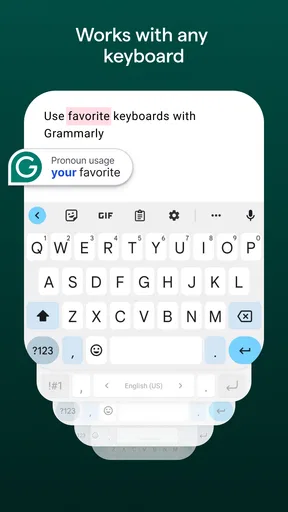
When I first downloaded Grammarly-AI Writing Assistant, I was curious to see how it stacks up against my usual editing routine. Installation was a breeze, and before I knew it, I was up and running. The app integrates seamlessly with your keyboard, making it super easy to use across different platforms like emails, social media, and even notes.
The interface is clean and intuitive, which I appreciate. There’s nothing worse than an app that feels cluttered or confusing. Here, everything is straightforward, allowing you to focus on what really matters—your writing.
Features That Shine
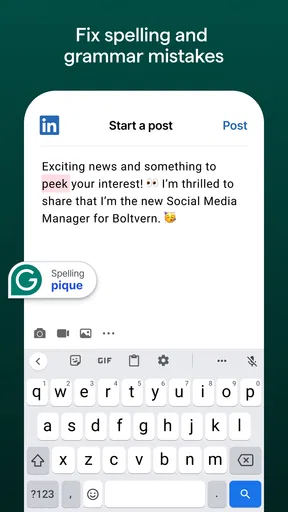
Let’s dive into what makes this app a must-have for anyone who writes. The first thing I noticed was its real-time grammar and spell-checking capabilities. As you type, Grammarly underlines potential issues and offers suggestions. It’s like having a personal editor peering over your shoulder, but way less annoying.
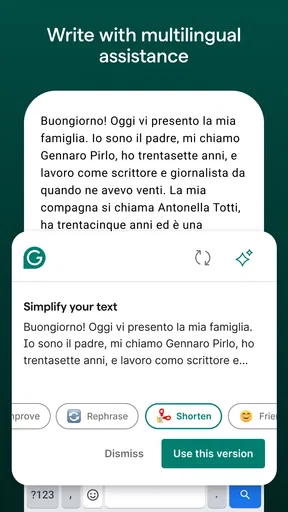
Moreover, the app goes beyond basic corrections. It offers style suggestions to improve clarity and engagement. I tried writing a blog post with it, and the suggestions for sentence restructuring were spot-on.
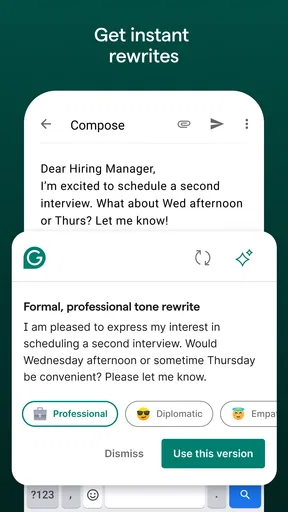
What truly sets it apart, though, is its AI-driven insights. The app provides feedback on your tone, helping you ensure your message is received as intended. Whether you’re aiming for a formal tone in a work email or trying to keep it casual in a social media post, Grammarly has your back.
Usability and Flexibility
Another thing I love about Grammarly is its flexibility. You can customize your experience by setting goals for your writing. Choose the audience, formality, and domain, and the app tailors its suggestions accordingly. This feature is especially useful for those who write in multiple contexts.
The app also has a handy plagiarism checker. For students and professionals alike, this is a game-changer. It’s reassuring to know that your content is original and not stepping on someone else’s toes.
Grammarly Premium vs. Free Version
Now, I know what you’re thinking—is the free version enough, or should I splurge on Premium? Well, the free version covers the basics, offering grammar, spelling, and punctuation checks. However, if you’re serious about writing, the Premium version is worth considering.
With Premium, you unlock advanced features like style improvements, vocabulary enhancement suggestions, and genre-specific writing style checks. It’s like upgrading from a standard toolbox to a professional one. If you’re a frequent writer, this can be a worthwhile investment.
Final Thoughts
Overall, Grammarly-AI Writing Assistant is a robust tool that can significantly enhance your writing quality. Whether you’re crafting a tweet or drafting a business proposal, this app has something to offer. It’s user-friendly, efficient, and, most importantly, effective.
If you're ready to take your writing up a notch, give Grammarly a try. You might just find yourself wondering how you ever got by without it. Happy writing!
Verdict
Strengths of Grammarly-AI Writing Assistant
- Highly accurate grammar checks.
- User-friendly interface.
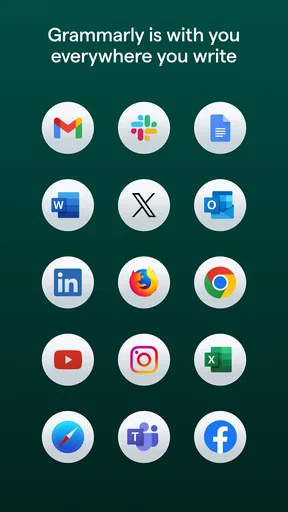
- Integrates with multiple platforms.
- Real-time writing suggestions.
- Customizable writing goals.
Limitations of Grammarly-AI Writing Assistant
- Premium features are costly.
- Requires internet for full functionality.
- Limited offline capabilities.
- Occasional incorrect suggestions.
- Can be distracting with frequent alerts.
Similar Picks in This Category
View All
Google Calendar
Google LLC4.6

Google Drive
Google LLC4.3

Google Assistant
Google LLC3.9

Microsoft OneDrive
Microsoft Corporation4.6

Samsung Calendar
Samsung Electronics Co., Ltd.4.1

Microsoft OneNote: Save Notes
Microsoft Corporation4.6
Frequently Asked Questions
What features does Grammarly-AI Writing Assistant offer?
Grammarly-AI Writing Assistant provides a comprehensive suite of tools designed to enhance your writing. Key features include grammar and spell checking, style suggestions, tone detection, and a plagiarism checker. Additionally, it offers a personalized dictionary and writing goals that cater to specific types of documents, helping users improve clarity and engagement.
Is Grammarly-AI Writing Assistant available for both Android and iOS?
Yes, Grammarly-AI Writing Assistant is available for both Android and iOS devices. You can download it from the Google Play Store or the Apple App Store. The app integrates seamlessly with mobile keyboards, allowing users to benefit from its features while typing in any application on their device.
Does Grammarly-AI Writing Assistant require an internet connection?
While certain basic features of Grammarly-AI Writing Assistant might work offline, an internet connection is generally required for full functionality. This includes advanced grammar checks, vocabulary enhancements, and access to the plagiarism detection tool. Being online ensures that you receive the most up-to-date writing suggestions.
Is there a cost associated with using Grammarly-AI Writing Assistant?
Grammarly-AI Writing Assistant offers a free version with essential writing tools. For more advanced features, such as tone adjustments and in-depth style suggestions, a premium subscription is available. The cost varies depending on the subscription plan chosen, offering monthly, quarterly, and annual options to suit different needs.
How does Grammarly-AI Writing Assistant protect user privacy?
Grammarly-AI Writing Assistant is committed to user privacy and employs strong encryption methods to protect data. The app only accesses text for the purpose of providing writing suggestions and does not store any personal documents. Users can review the privacy policy to understand how their data is handled and protected.
